
WorkPress uses the Gigneo marketplace engine to manage the core functionality of your service and job marketplace.
The Marketplace Settings allow you to configure different parts of your marketplace according to your business requirements.
Available Settings
Depending on your installed modules, the Marketplace Settings may include:
- General — Basic marketplace configuration
- Authentication — Login, registration, and account settings
- Freelancer — Freelancer-related options
- Employer — Employer-related options
- Service — Service marketplace settings
- Job — Job marketplace settings
- Template — Marketplace page and template settings
- Slug — Marketplace URL settings
- Notification — Notification settings
- Payment — Payment and wallet settings
- Other — Additional marketplace options
Access Marketplace Settings
To access the marketplace settings, log in to your WordPress admin dashboard and navigate to Gigneo → Settings
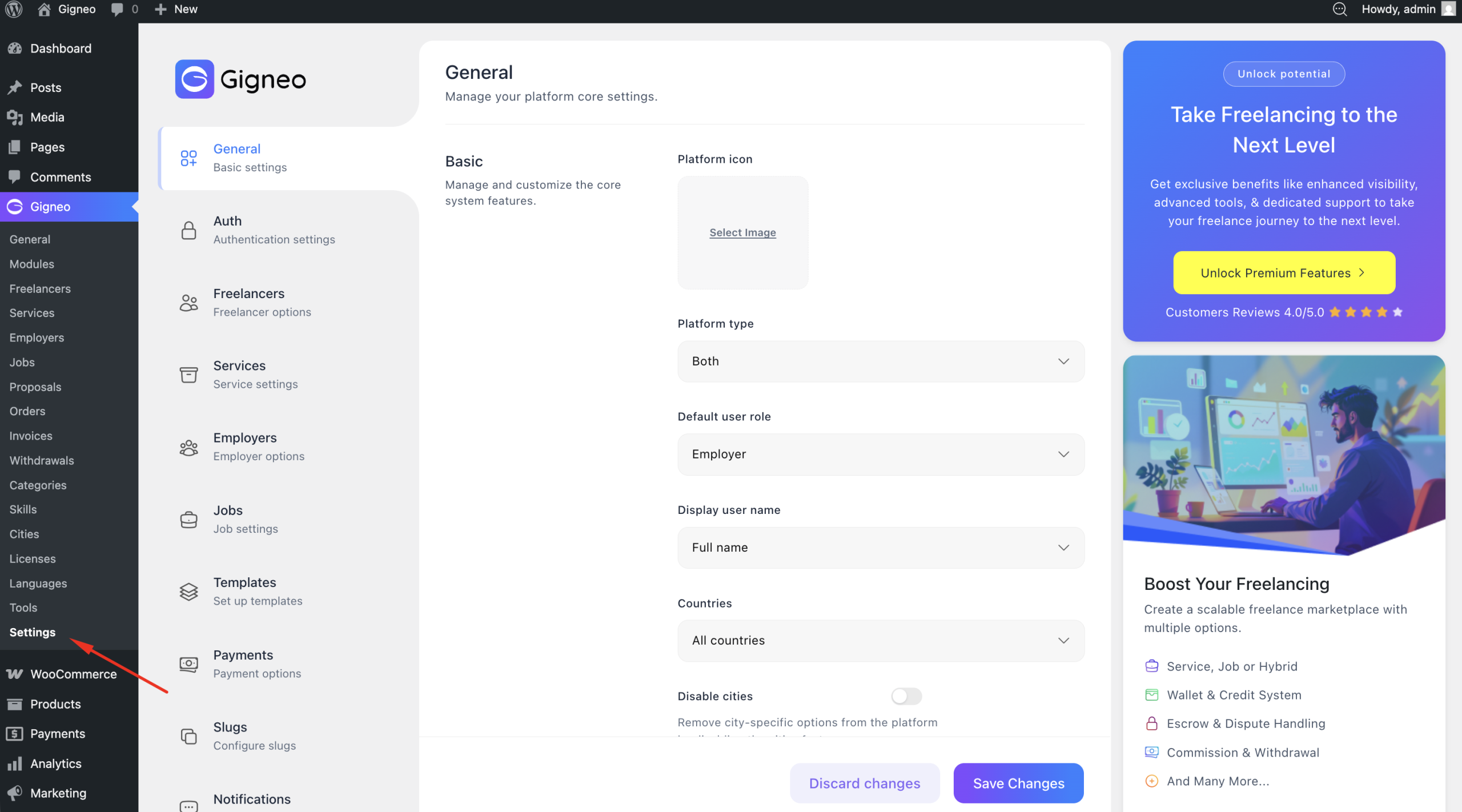
From there, select the section you want to configure and update the available options according to your marketplace requirements.
Detailed Documentation
Since WorkPress uses the Gigneo marketplace engine, detailed information about each marketplace setting is maintained in the Gigneo documentation.