
WorkPress uses the Gigneo marketplace engine for marketplace functionality.
Gigneo requires dedicated WooCommerce products for wallet and withdrawal transactions. These products allow the platform to process and track marketplace financial activity separately from your normal WooCommerce store transactions.
To configure these products, navigate to Gigneo → Settings → Payments and make sure both required products are properly assigned.
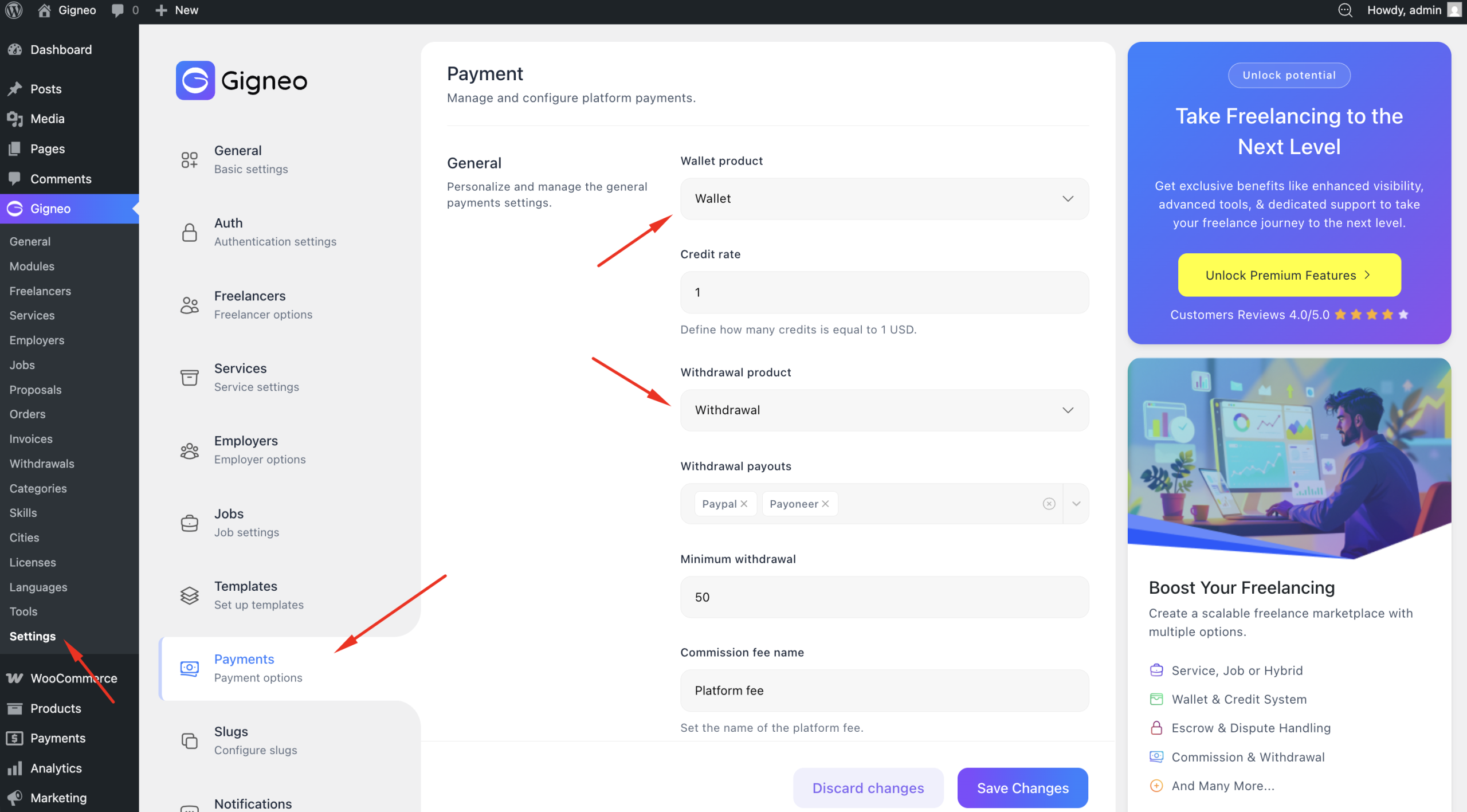
If the products are not configured, you will need to create them manually in WooCommerce.
To create a required product, navigate to Products → Add New and create a new product for the missing transaction type.
When creating these products, make sure to:
Set the product as Virtual and Downloadable, then set the product price to 1.
Hide the product from the shop page or catalog visibility.
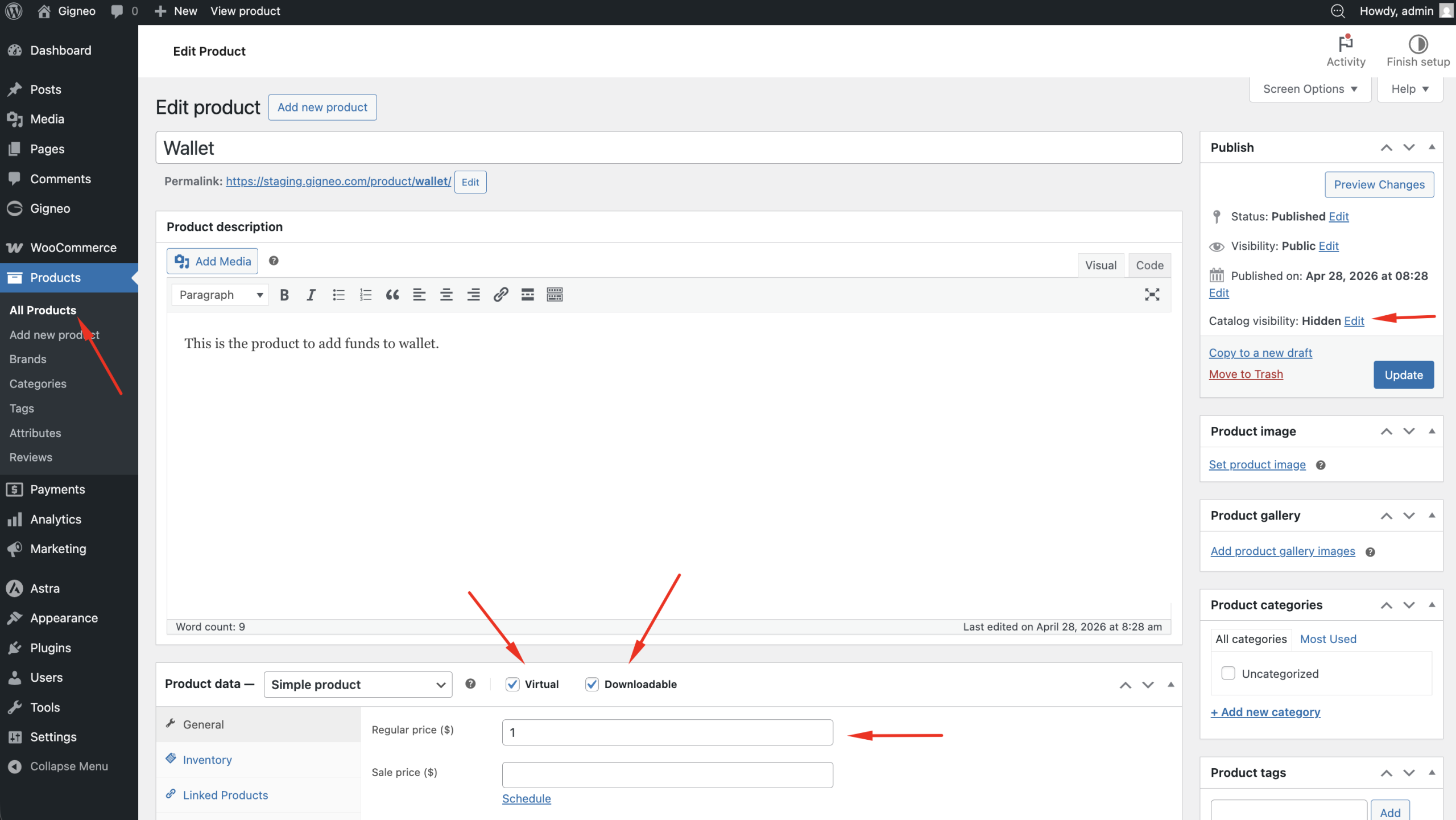
These settings ensure the products are used only for internal marketplace transaction processing and do not appear as public products for customers.
Once both wallet and withdrawal products are properly configured, your marketplace financial system will be ready for wallet deposits, withdrawals, and transaction tracking.