
WorkPress includes a simple demo import process that helps you quickly set up your website with the recommended pages, layouts, settings, and sample content.
Before importing the demo, make sure required plugins installed and activated.
Important: We recommend importing the demo on a fresh WordPress installation. If you are importing on an existing website, create a complete backup first.
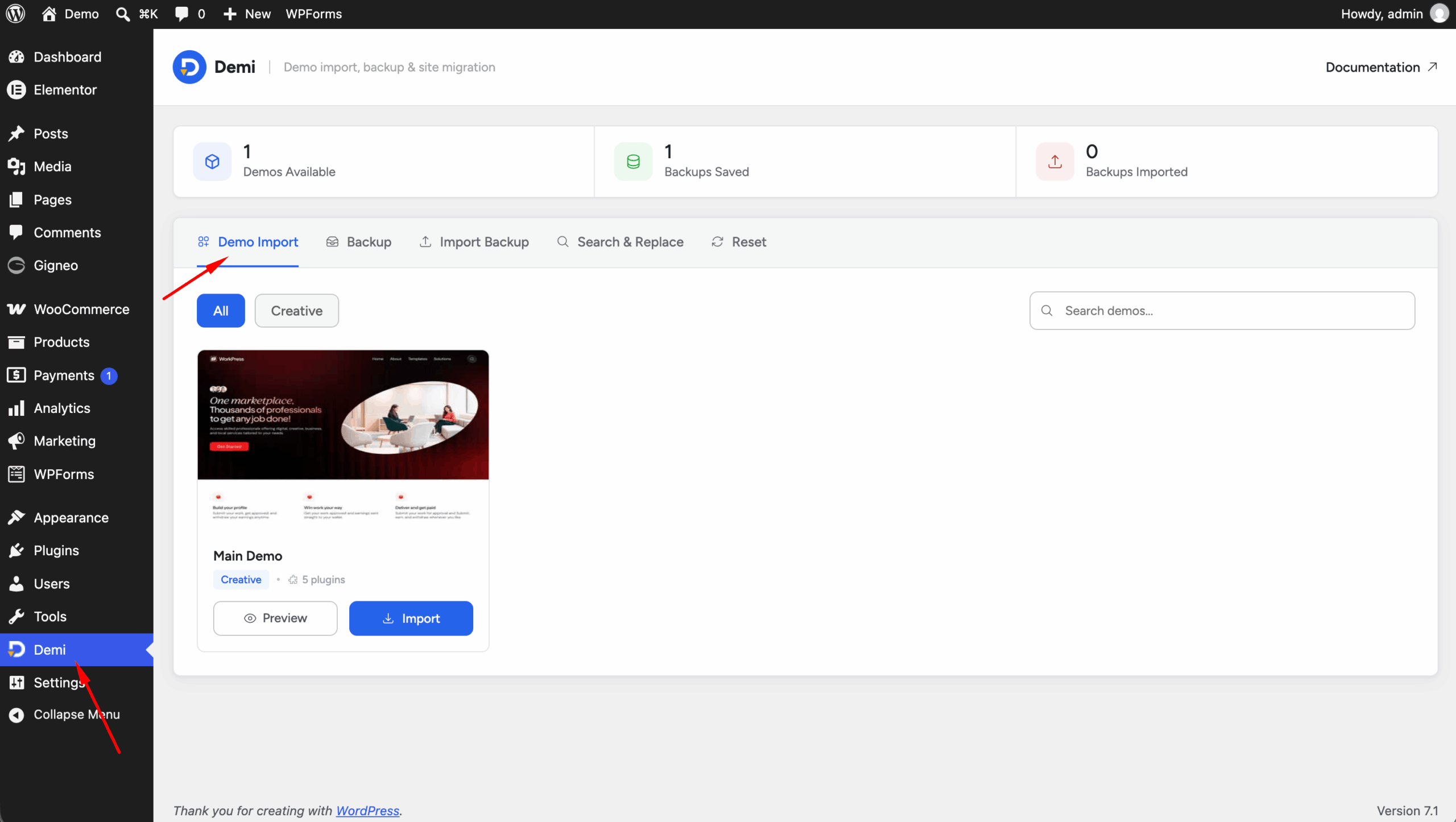
Step 1: Log in to your WordPress admin dashboard and navigate to Demi → Demo Import.
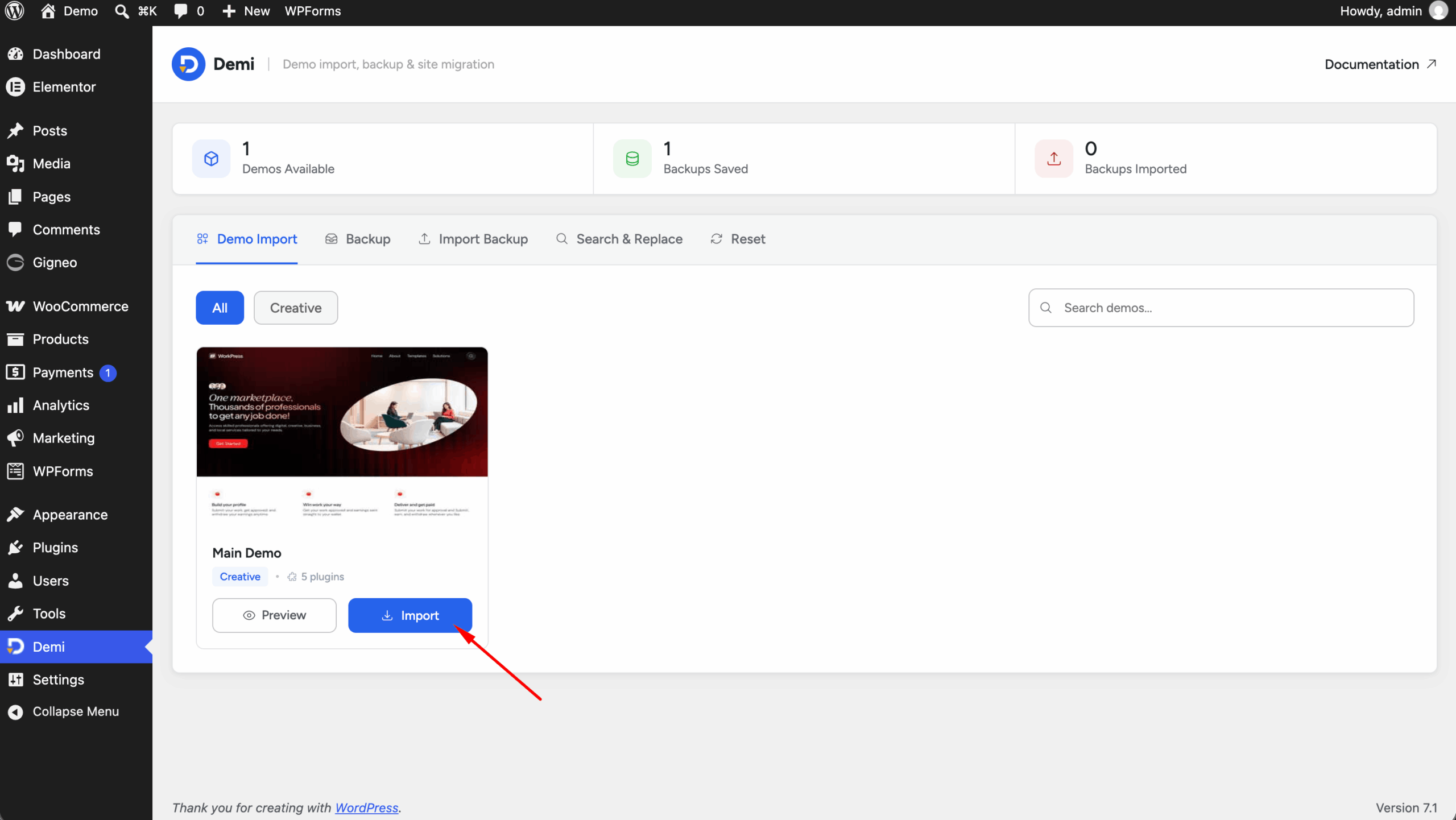
Step 2: Select the WorkPress demo you want to import and click the Import Demo button.
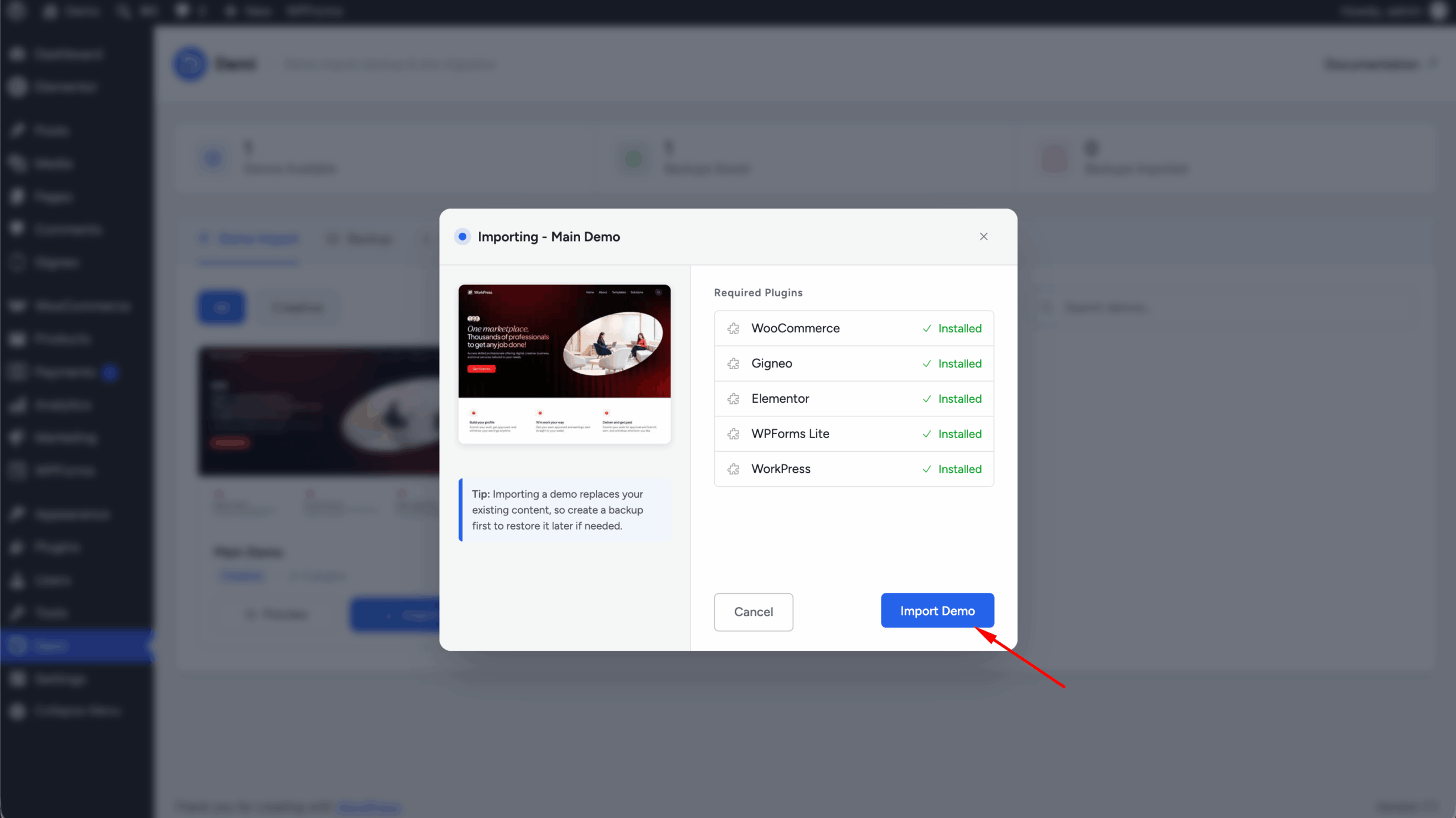
Step 3: The importer will display the required plugins for the selected demo. Install any plugins that are not already installed.
Step 4: After installing the required plugins, start the demo import process. The importer will automatically import the demo content and required settings.
Step 5: Wait for the import process to finish. Depending on your hosting server and internet connection, the process may take several minutes.
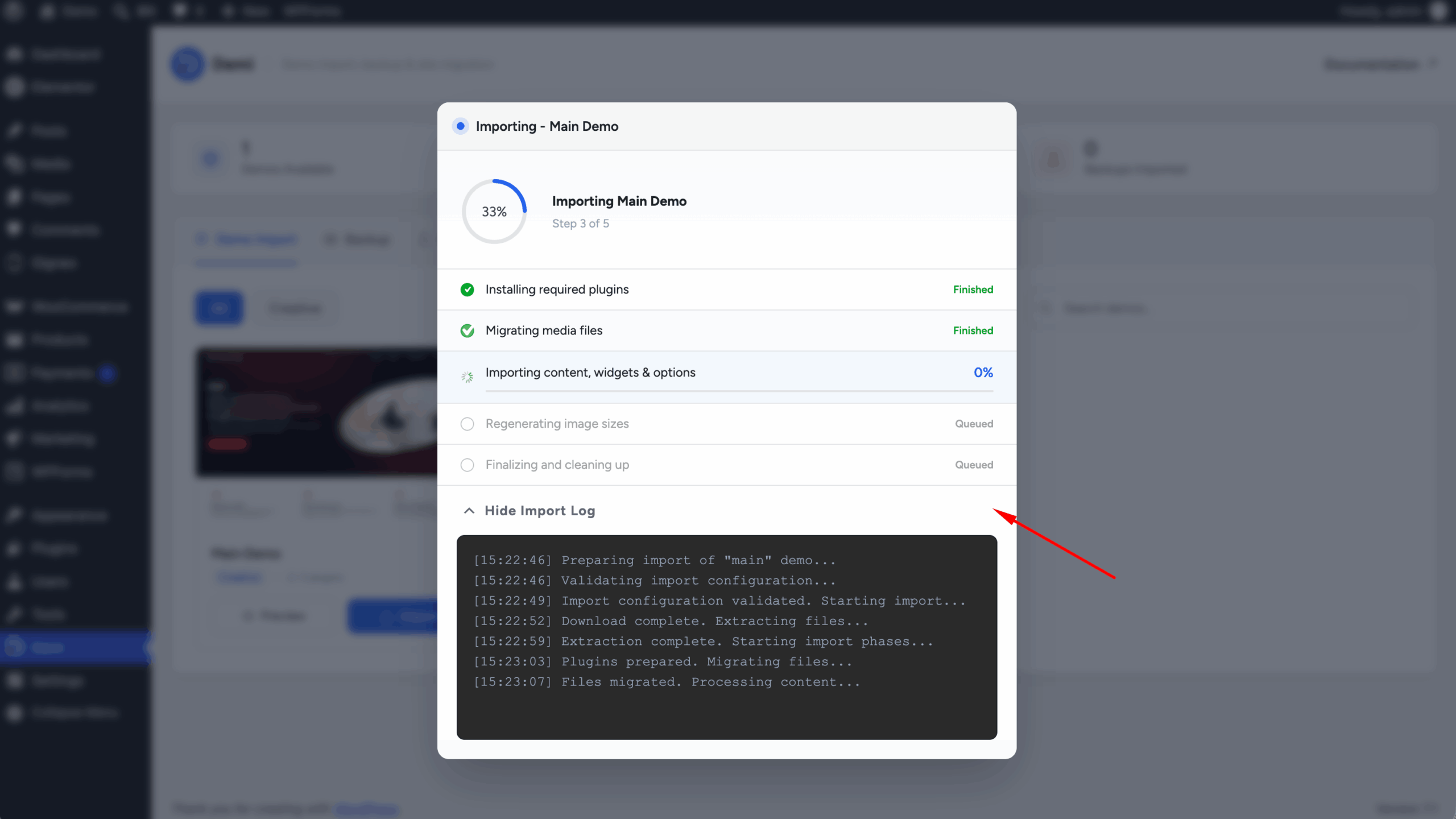
Important: Do not close, refresh, or navigate away from the page while the demo import is running.
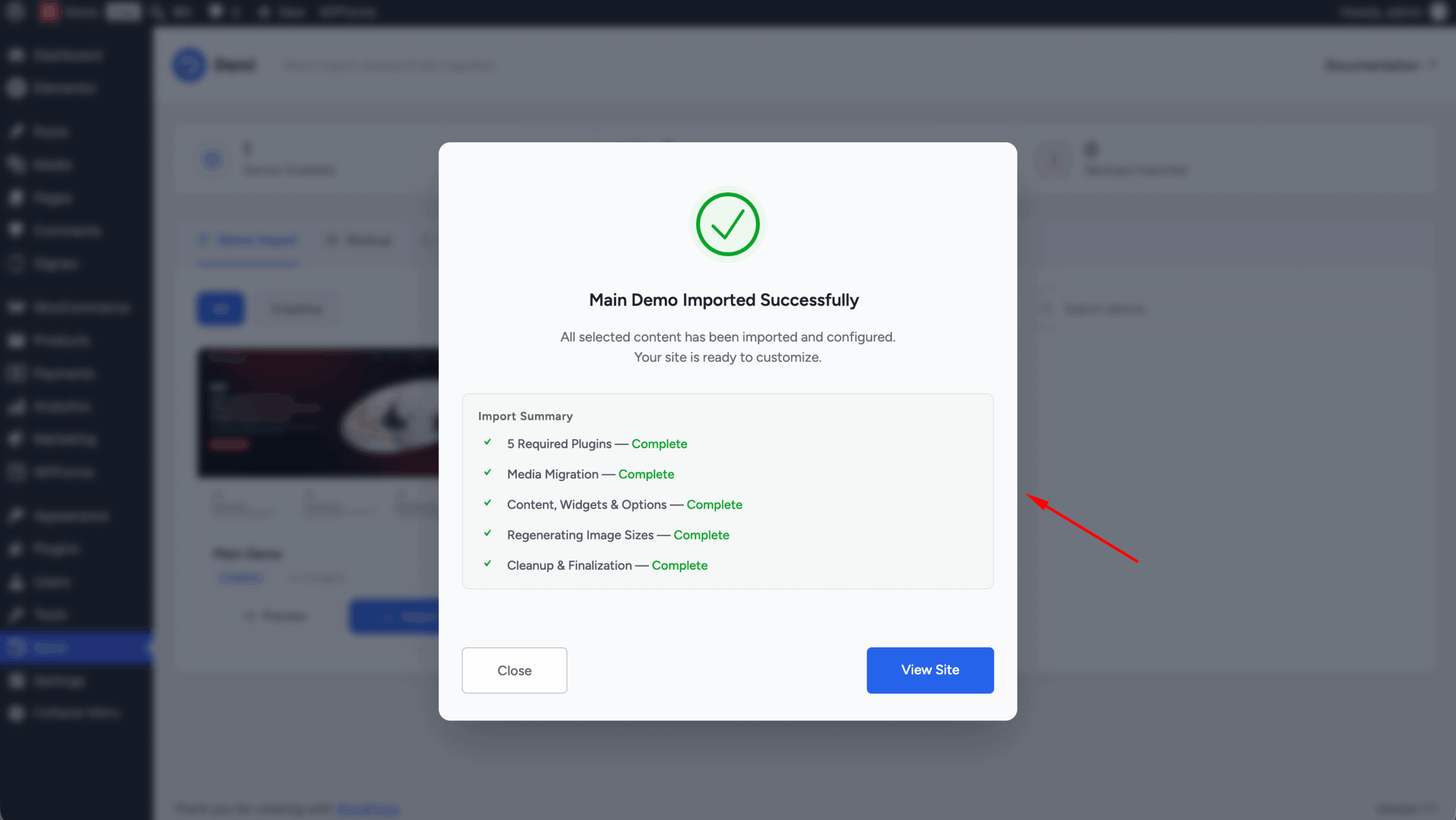
Step 6: Once the import is complete, visit your website and verify that the demo content has been imported correctly.
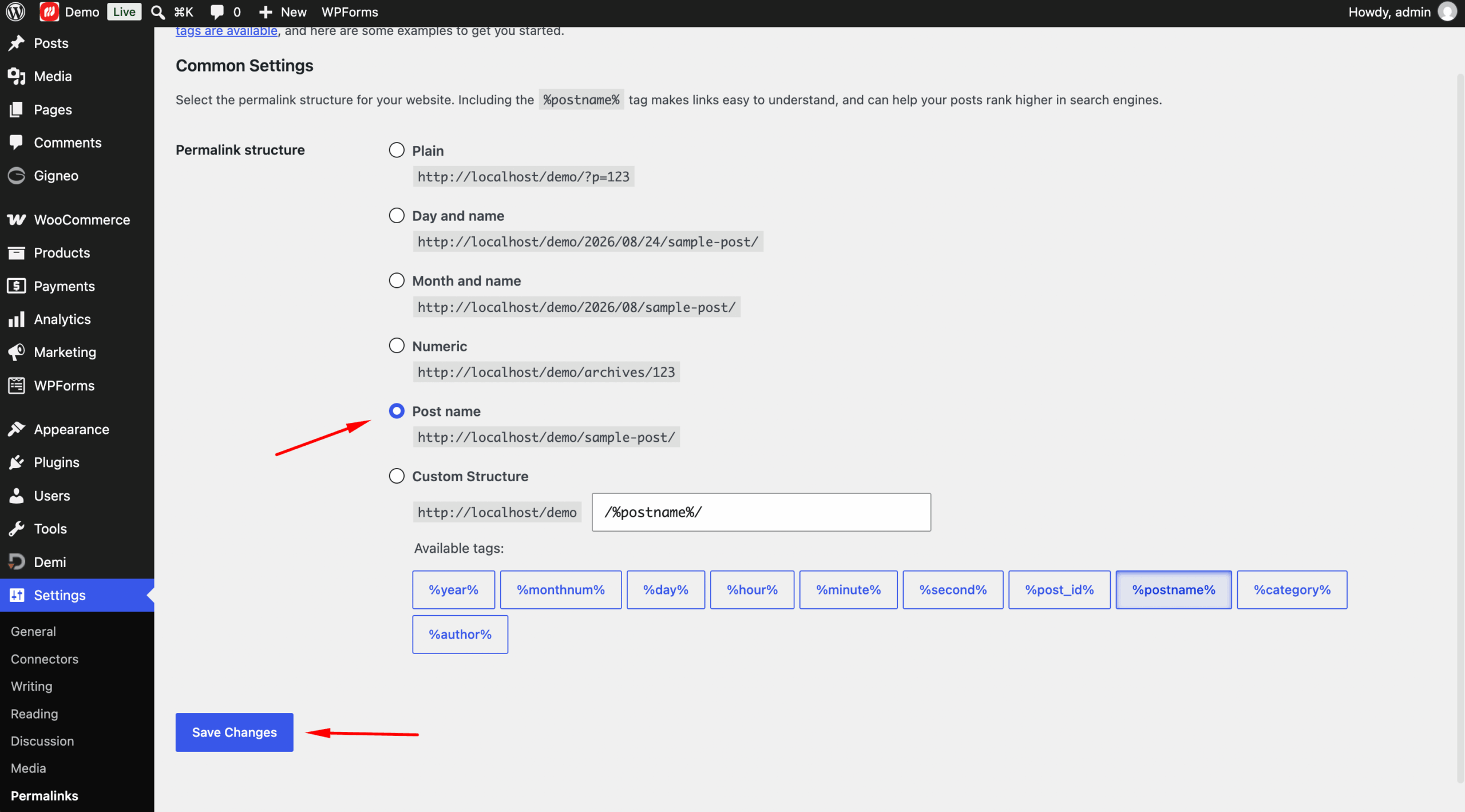
Step 7: Go to Settings → Permalinks and click Save Changes to refresh the WordPress permalink structure.
Your WorkPress website is now ready for customization.